
A new website to replace the old WordPress one
SFERO works with foreign and local clients in Valencia, on the Costa Blanca and on the Costa del Azahar. The agency helps people buy, sell and rent out property, and also handles mortgages, renovations and relocation. The agency's old site ran on WordPress: the home page weighed 12 MB and took 8.5 seconds to fill the screen on mobile. We proposed switching to our own code and a modern stack. Now the home page is 13 times lighter, a listing page fills the screen 5 times faster, and the catalog, area guide and analytics are built around how the agency works.

 Old site
New site
Drag the slider to compare. All screenshots on this page show the English version of the site.
The brief
- The catalog comes from the agency's CRM, so nobody copies listings to the site by hand
- Four languages, as on the old site, and a separate page for every listing in every language
- Pages that carried over keep their URLs, and changed ones get redirects, so the site keeps its search traffic
- Inquiries from the site go straight into the CRM
Our own code instead of a template and plugins
A platform like WordPress rebuilds the page on every visit and loads plugins, styles and scripts the page doesn't need. We wrote the site ourselves. Pages are built in advance and served from Cloudflare servers close to the visitor, and the browser gets only what that particular page needs.
- 01Pages are ready in advance. About 1,200 pages in four languages are rebuilt with every catalog update. The server doesn't put a page together when someone visits. It serves one that's already finished.
- 02Photos are compressed automatically. The site converts every photo from the CRM to a modern format and resizes it for the screen: on a catalog card, a photo weighs 22 KB instead of the original 145 KB.
- 03No template limits. The calculators, the area map and the “What's nearby” block were built around the agency's needs. With an off-the-shelf platform you'd be hunting for a plugin for every feature, with no guarantee that one even exists for what you need.
An area map like SFERO's can't be built on WordPress at all. Custom code keeps you flexible: any feature can be added when you need it.
Old WordPress vs. our code
- Lighthouse performance score, mobile
- 61
- 75
- Lighthouse performance score, desktop
- 78
- 97
- Time to fill the screen (Speed Index), mobile
- 8.5 s
- 2.6 s
- Time to fill the screen (Speed Index), desktop
- 2.7 s
- 0.6 s
- Page weight, mobile
- 12 MB
- 0.9 MB
- Page weight, desktop
- 17 MB
- 1 MB
- Requests to the server
- 138
- 22
Measured with Lighthouse using the mobile profile (slow mobile connection) and the desktop profile, median of three runs, November 17, 2026. Speed Index shows how quickly the page's content fills the screen. The old site is still running on its original server, so both were measured under the same conditions. On a listing page the gap is even wider: 2.4 MB instead of 13 MB, 27 requests instead of 150, and a desktop score of 99 versus 67.
On a phone
Search, the catalog, the listing page and the area guide were redesigned for a narrow screen rather than simply scaled down.
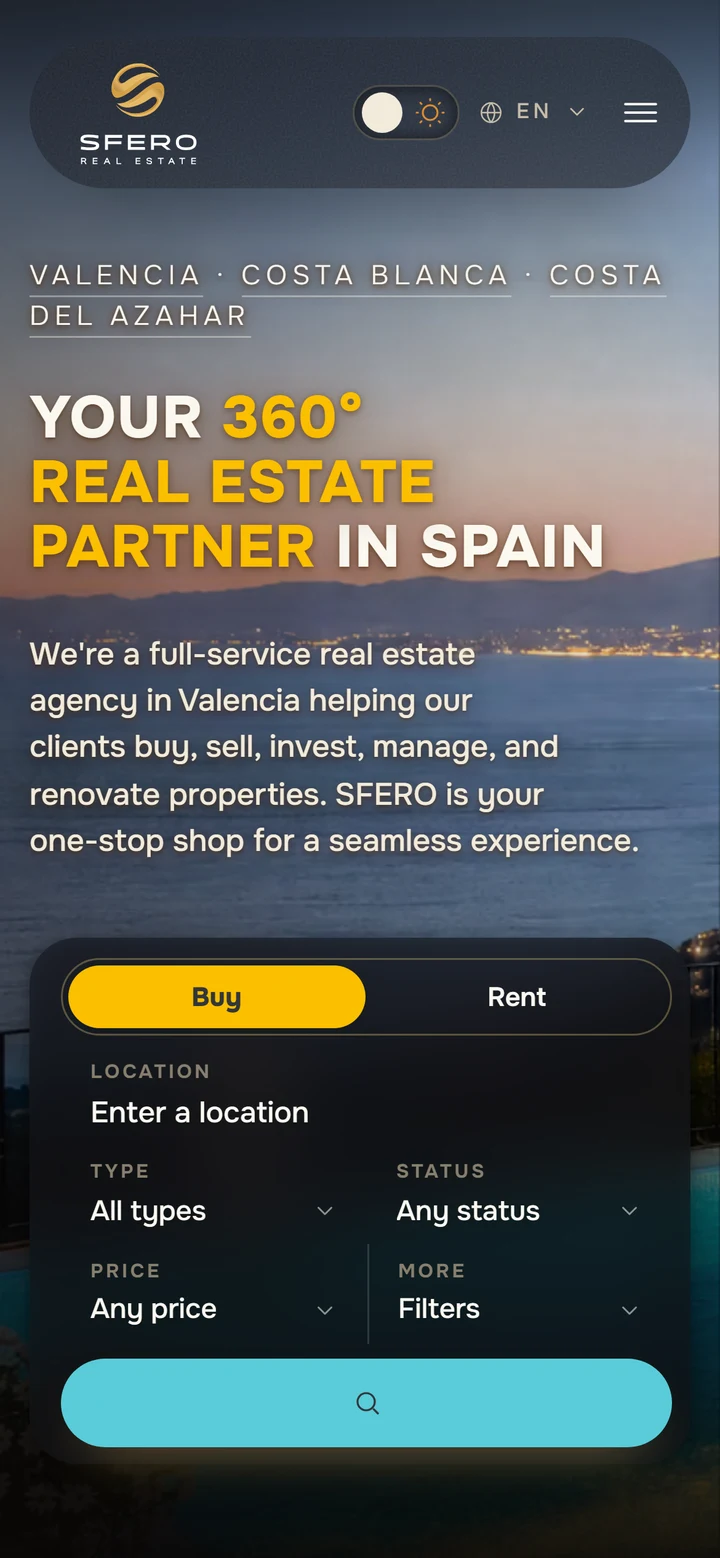
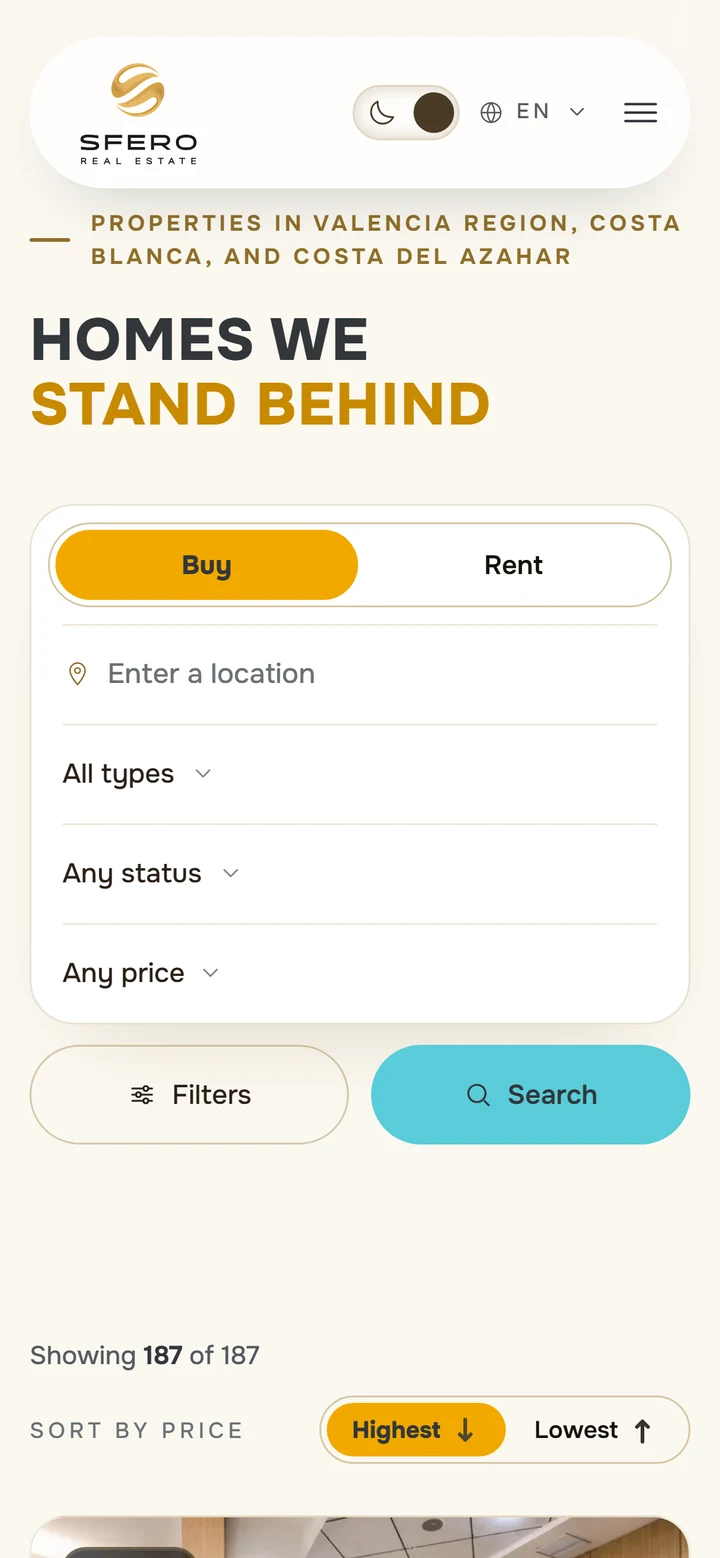
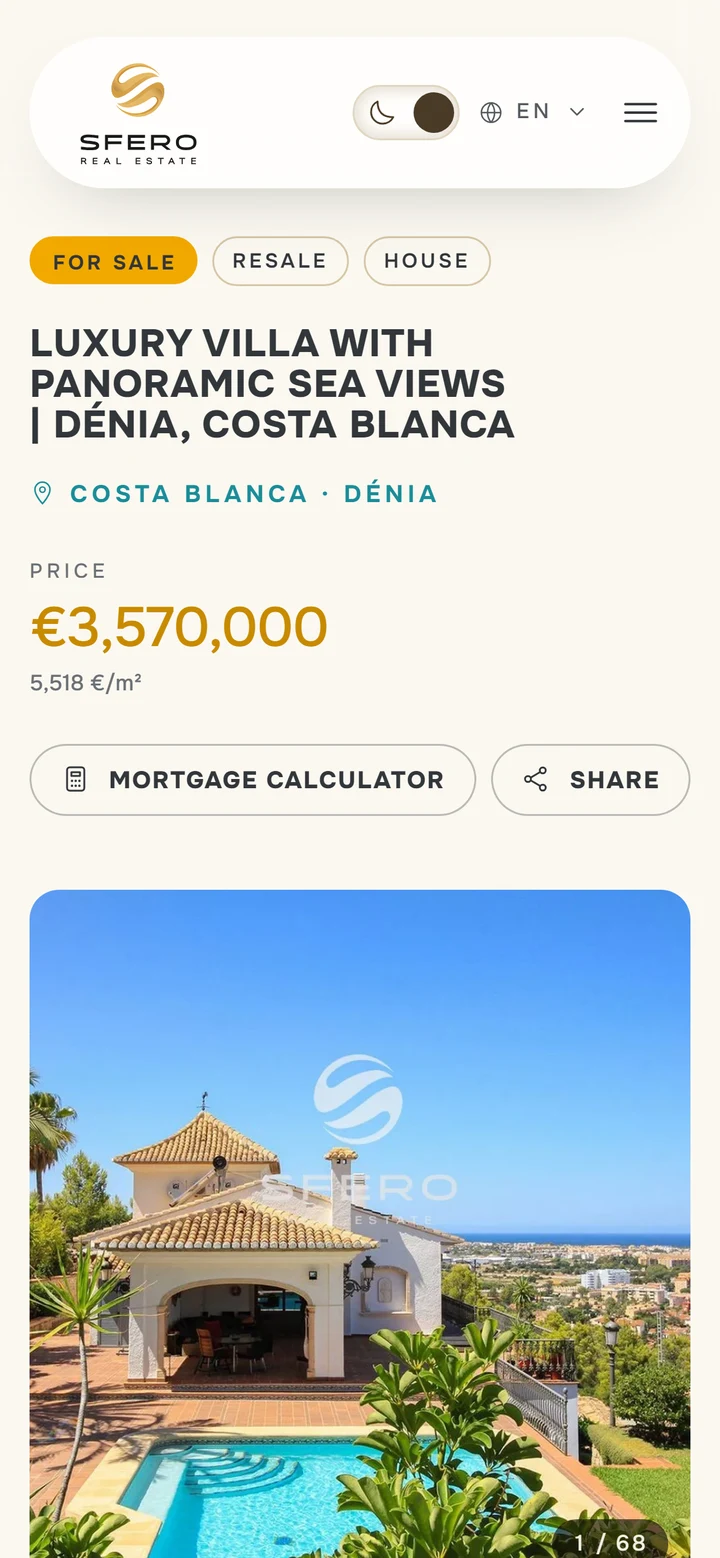
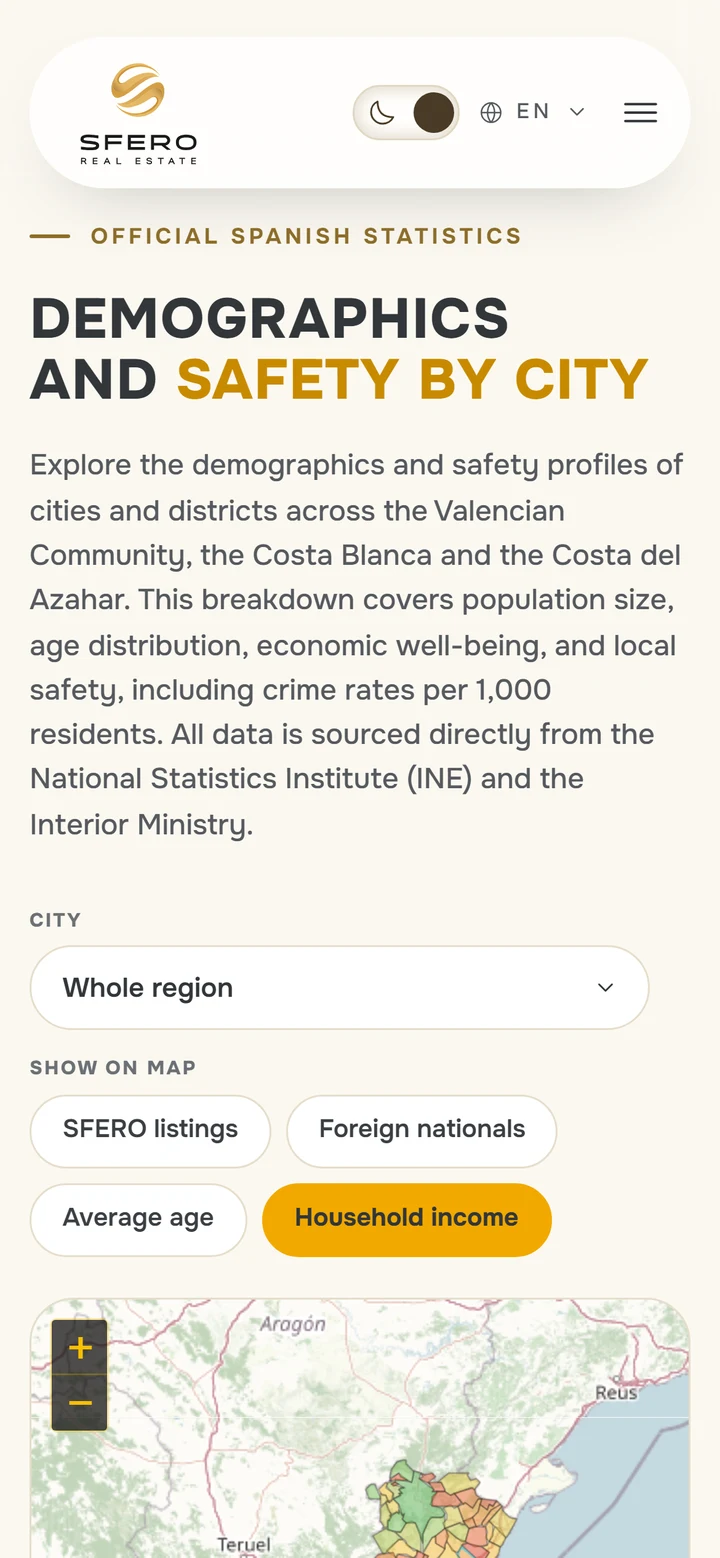
Statistics for every town right on the agency's website
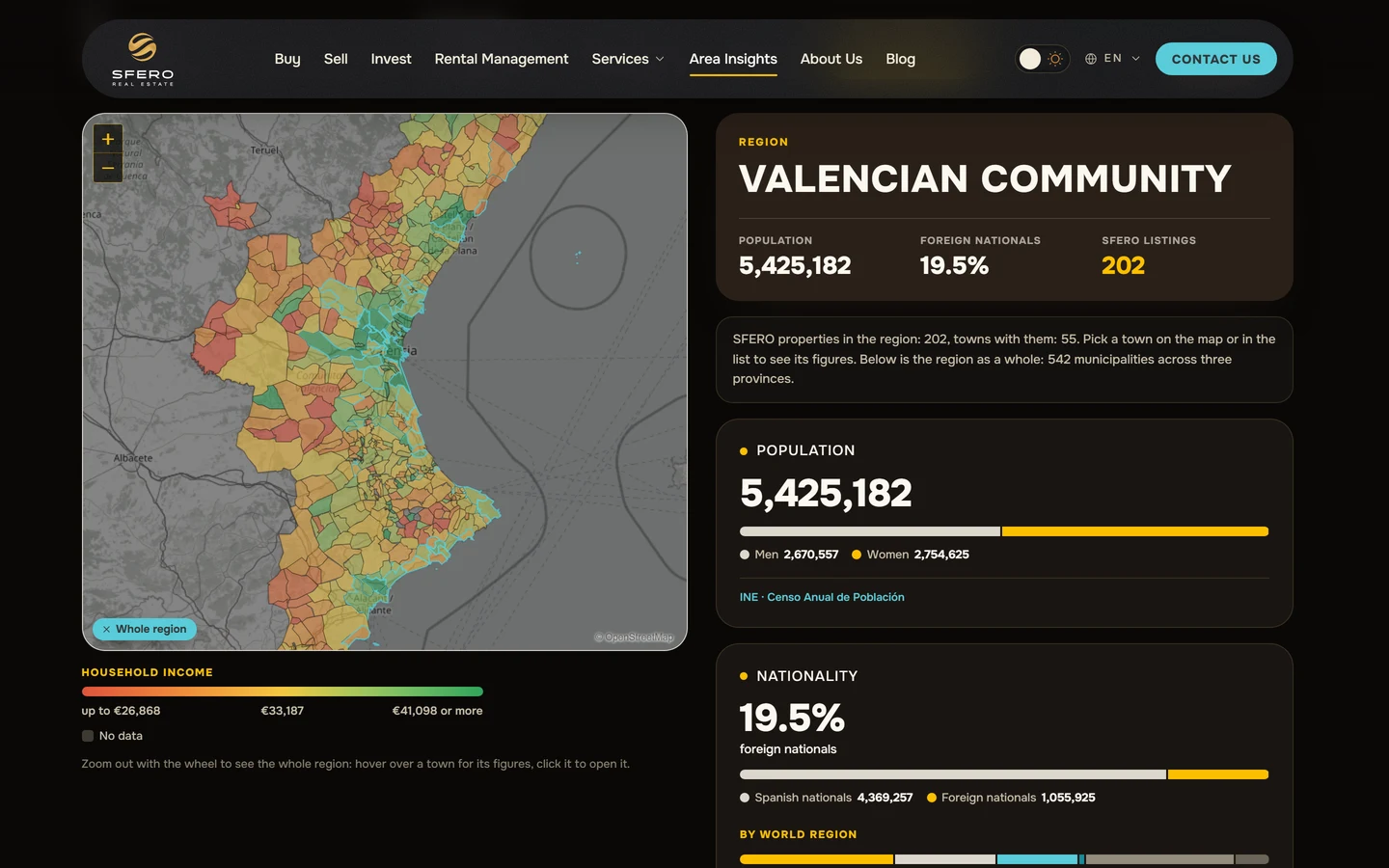
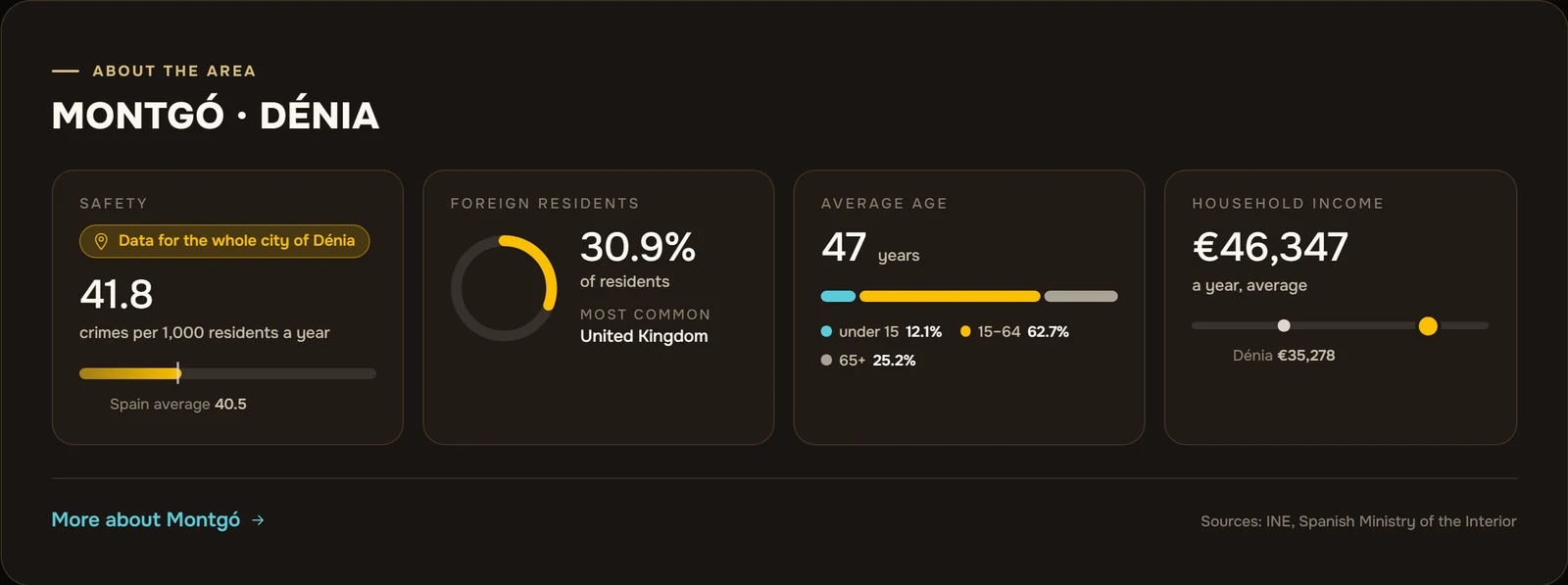
A buyer from another country usually doesn't know how one coastal town differs from the next, and pieces it together from scattered sources. On SFERO's site it's all in one section: population, the share of foreign residents and where they come from, age, income and safety, by town and district. We haven't come across a section like this on other real estate agency websites.
Listings show up on the site by themselves
The agents work in the CRM just as before. Every 2 hours the site pulls the changes from it and rebuilds the listing pages in every language. A new listing appears in the catalog without anyone touching it, and price and status changes come through with the next update.
Every 2 hours
- 01Export from the CRMlistings, prices, statuses and photos
- 02Listing pagesin 4 languages, with a map and markup for search engines
- 03Photosnew photos are compressed and uploaded to storage
- 04Areas and “What's nearby”statistics and places around the listing
- 05Publishingonly if something has changed

Search in any of the four languages
The site runs in Spanish, English, Russian and Ukrainian, and every page and every listing has its own URL in each language. Search finds a town however you spell it: in Cyrillic, in Spanish or in Valencian. Each town has several spellings, checked against the list of every municipality in the region, and search is tested after every catalog update.
If the CRM ever returns an empty list, the site won't publish an empty catalog. It keeps the previous one.
Answers to the buyer's questions right on the page
A buyer from abroad usually asks the same things: what the purchase will cost with taxes, what's near the property and what the area is like. Every listing page now answers those questions.
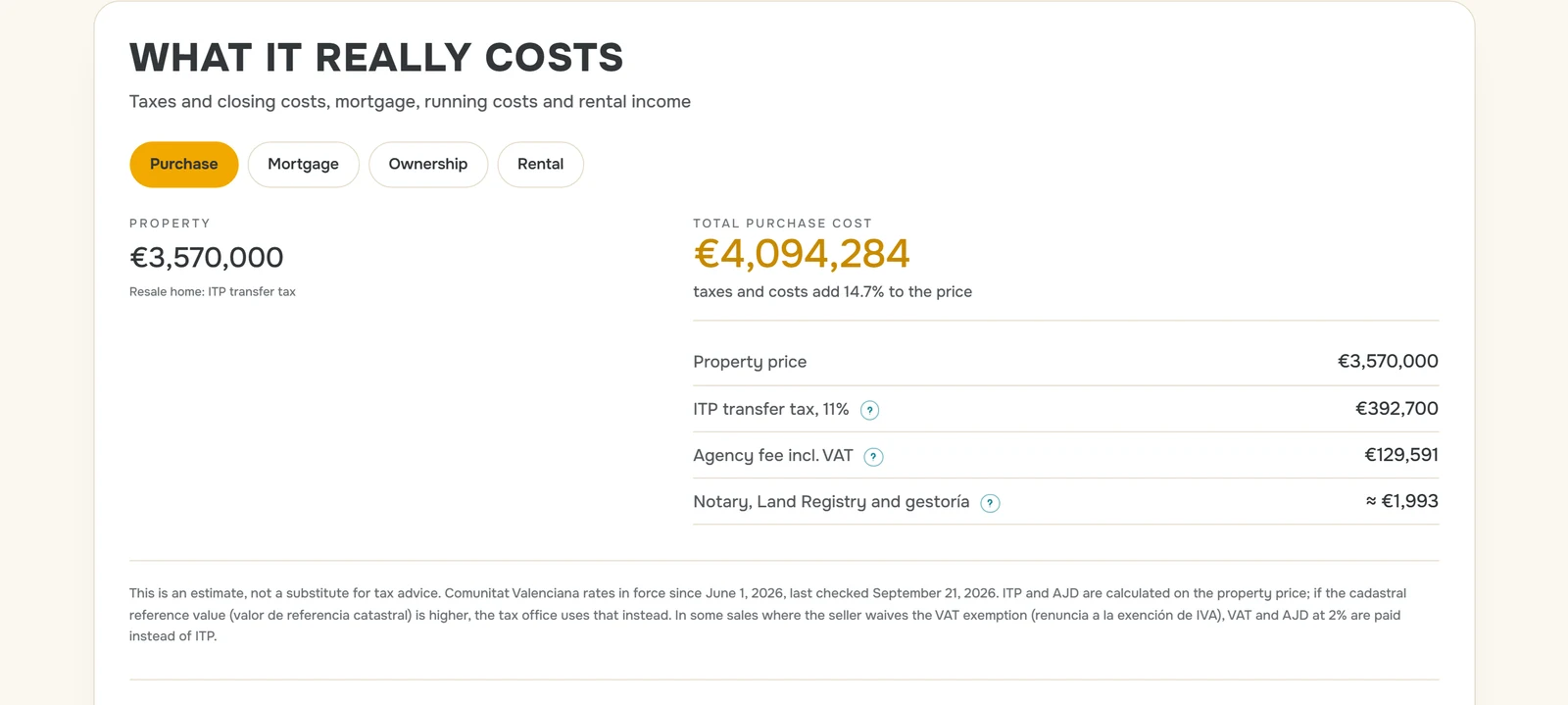
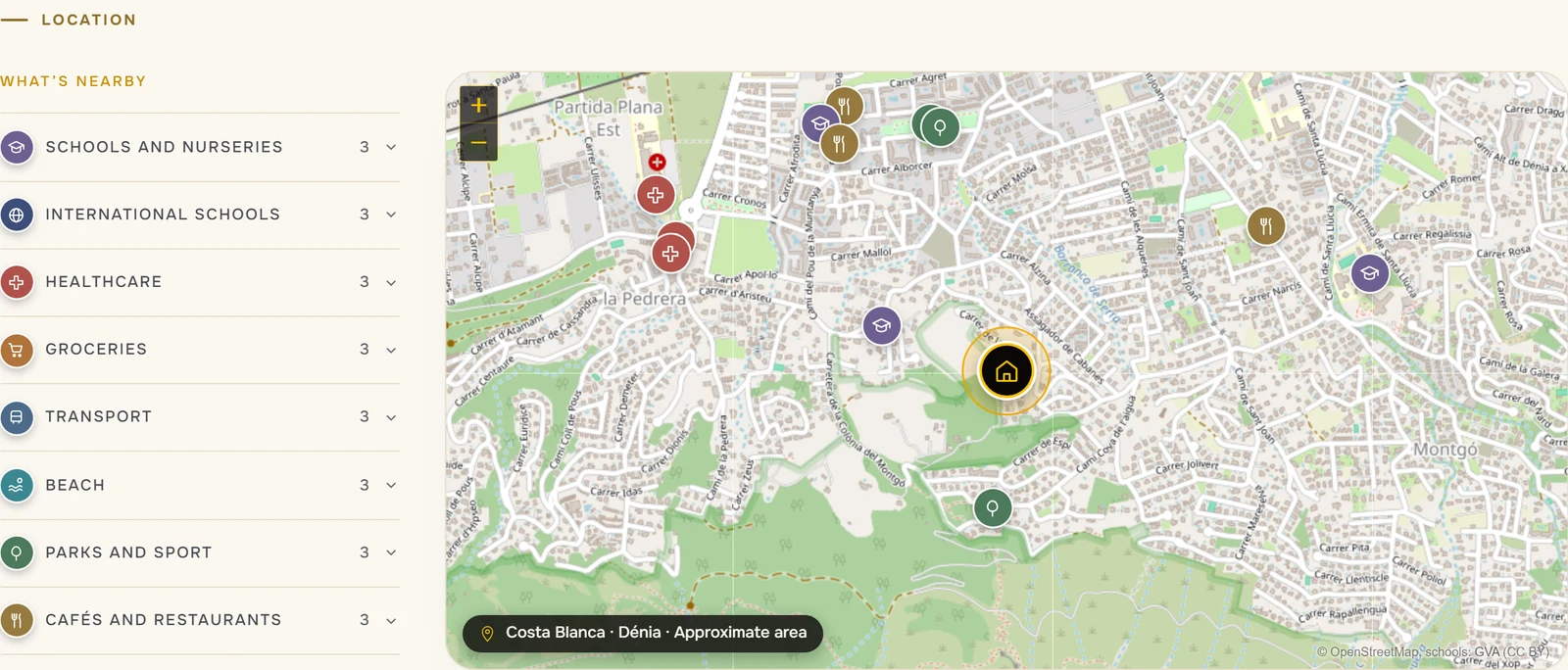
- 01Calculators on every listing. Purchase, mortgage, running costs and rental, in 4 languages. We verified the math against an independent calculation, with about 4,300 checks.
- 02An inquiry in the CRM and a WhatsApp chat in one tap. All 21 forms on the site have a “Send via WhatsApp” button: the inquiry goes to the CRM, and a chat with an agent opens right away.
- 03The right agent on the page. The site decides who to show based on the listing's region and the language of the page.
Light and dark themes on every page
A dark theme is rare on real estate agency websites. SFERO has one on every page, alongside the light theme. The Spanish and English versions open in the light theme by default, the Russian and Ukrainian ones in the dark theme. The site remembers each visitor's choice, and analytics tracks which theme people use.
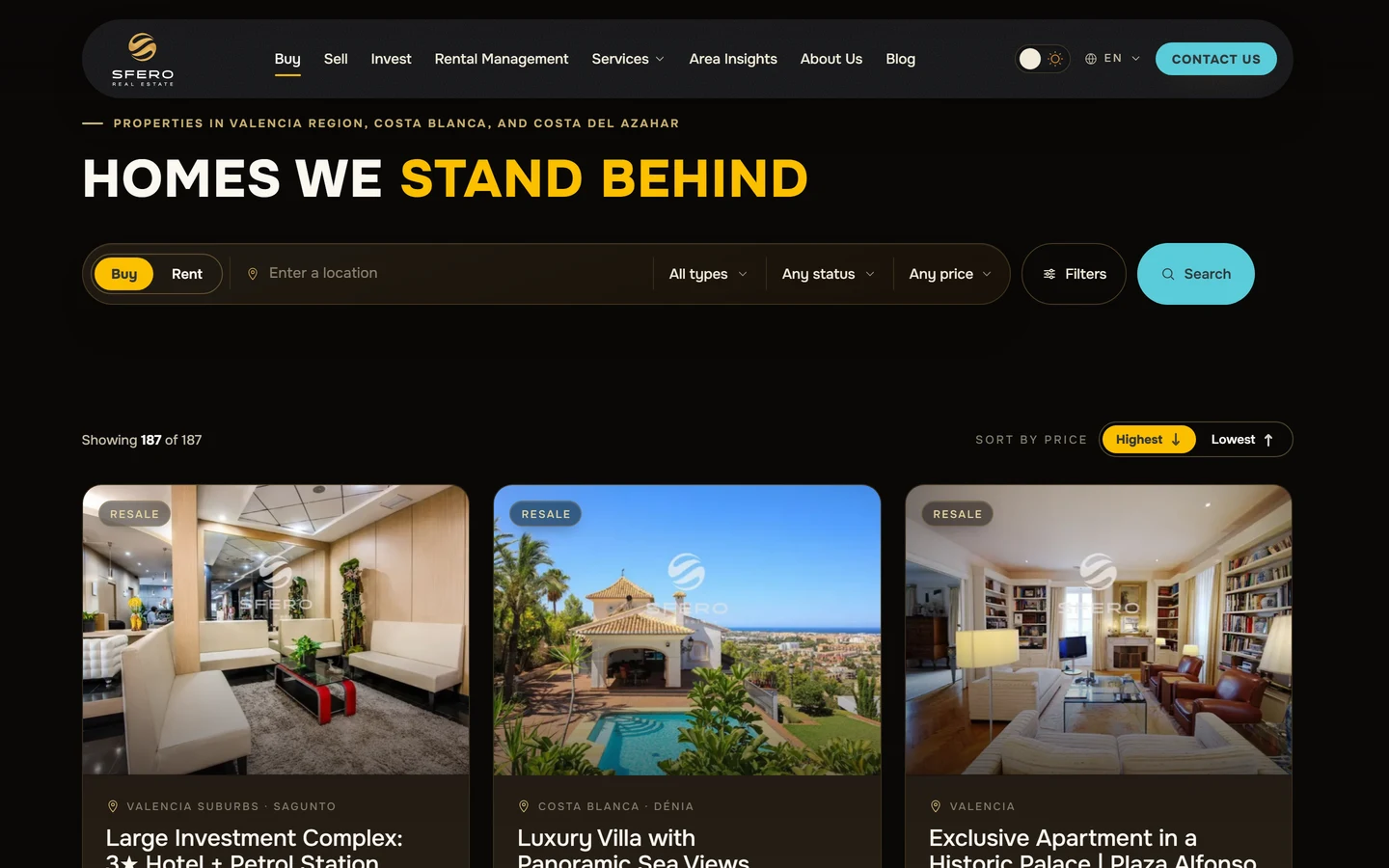 Light
Dark
Drag the slider to compare.
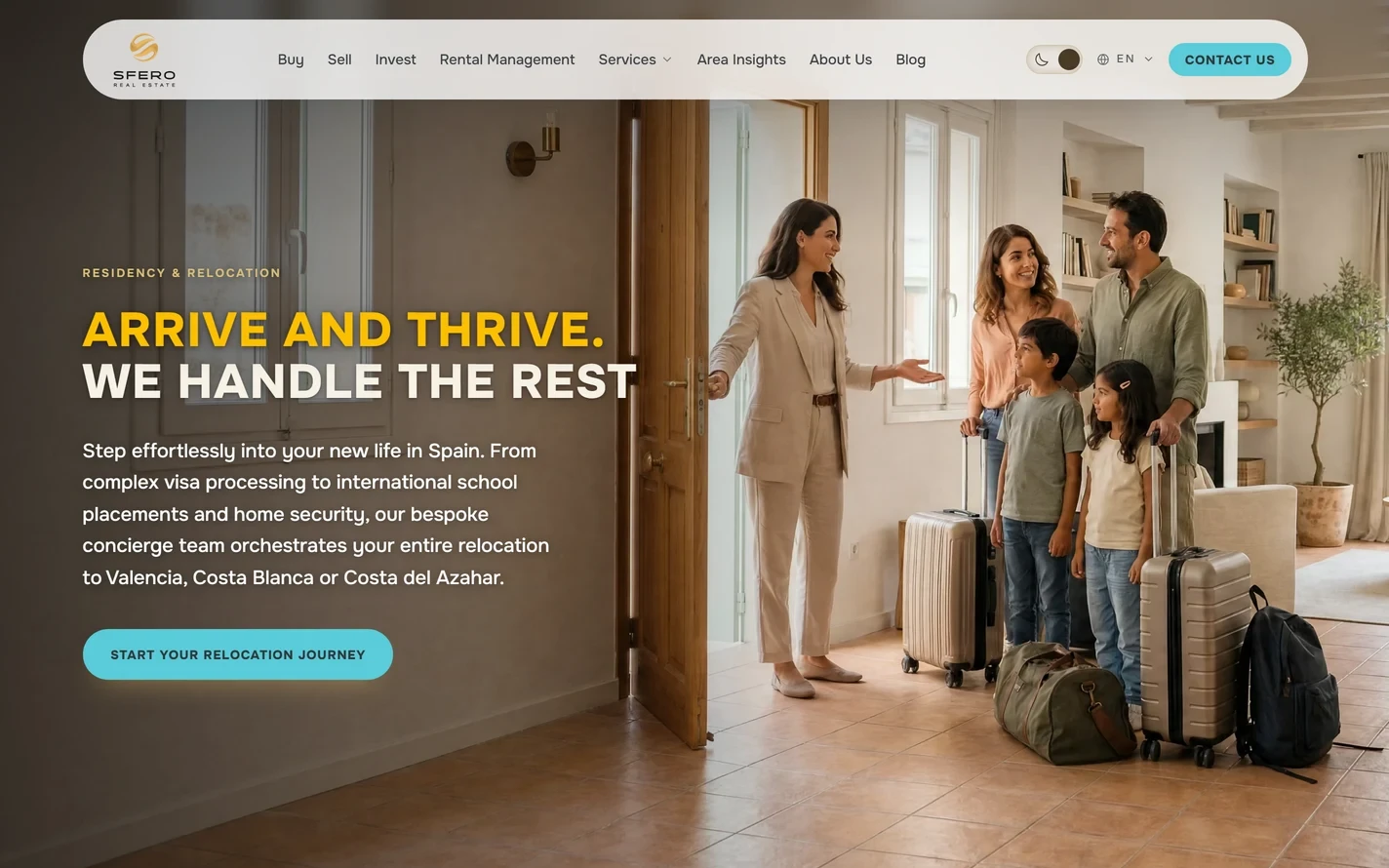
Service pages
Selling, investment, mortgages, relocation, renovation, rental management and the blog.






All of the site's analytics in one place
To see how a website is doing, people usually open Search Console, Google Analytics, Microsoft Clarity and speed reports one at a time, each with its own numbers and its own data retention period. We built SFERO a dashboard of its own. It pulls data from every source on a schedule and keeps the history that the sources delete over time.

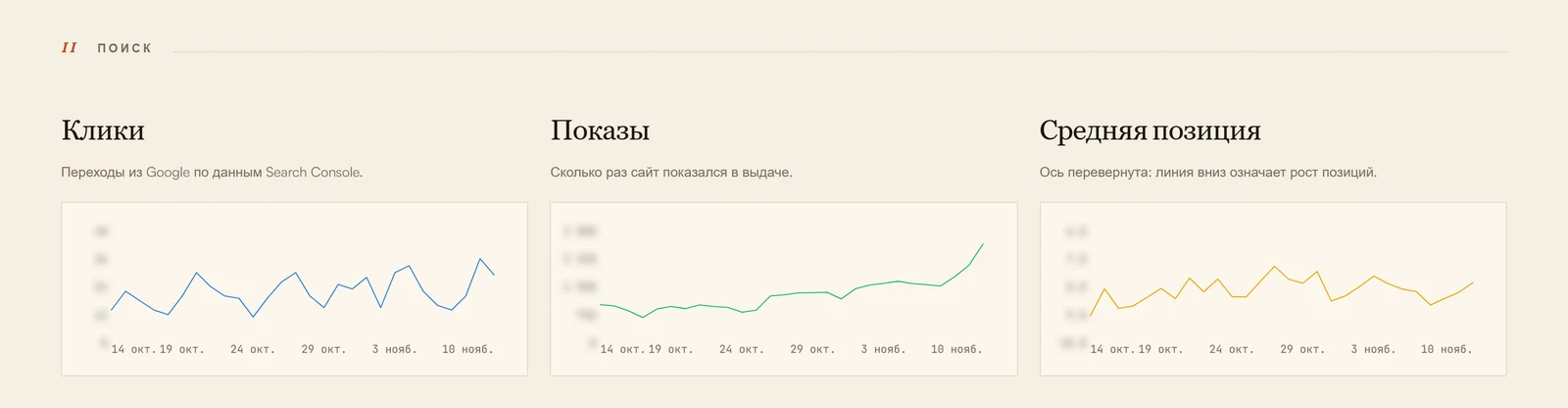
What no standard platform shows
- 01Our own speed measurement. A small script on the site measures 5 speed metrics on every real visit, with no cookies. It's more accurate than lab tests and doesn't depend on whether the site gets enough traffic for Google's reports.
- 02Color theme. A tracker of our own on the site shows which theme people browse in and whether they chose it themselves.
- 03Print materials. Scans of the QR codes on property banners and business cards, broken down by banner.
- 04Honest numbers. On this site, Clarity showed four times as many sessions as GA4 because it counts bots. The dashboard doesn't mix numbers like these and labels where each one comes from.

The site keeps growing after launch
The work didn't stop at launch: we promote the site on Google and in AI assistants like ChatGPT. Pages carry markup that tells AI models exactly what they're reading: the property, the price, the area, a question and its answer. That lets ChatGPT and other AI assistants pull data from the site and recommend SFERO in their answers. There's also an llms.txt file for them, and the site submits new and updated listings to search engines on its own.
Articles
Since August the blog has published 54 articles in four languages, on buying costs, residency permits, renting, schools and areas. An AI pipeline produces them: a draft, then three independent checks (editing, fact-checking against primary sources, language proofreading) and a final review. The articles already bring visitors from Google searches about temporary protection, squatters and schools.
We describe how SFERO's AI content pipeline works in detail in a separate case study, “AI marketing team for a real estate agency”.
From kickoff to launch in a month
Work started on June 5, and by early July the new site was live at sfero.es. We built the structure around three ways of living in Spain: the city, the coast and the suburbs. After launch, we kept developing the site.
- MayA demo of the new site built on SFERO's listings and copy
- June 5Development starts
- JulyCatalog connected to the CRM, site launched at sfero.es
- August–NovemberArea guide, “What's nearby”, calculators, blog, analytics dashboard
- Analytics and advertising load only after the visitor consents to cookies
- A Content Security Policy on every page, and two security audits
- The site is rebuilt with every update and passes automated checks before it's published
- Redirects are set up for the old site's changed URLs