Case study · App development

Telegram Mini App and web app on top of a company's accounting system

The company keeps its data in its own accounting system, and its users needed an account on their phones. We built a Telegram app and a web version from one codebase without exposing the accounting system.

Client
Name withheld at the client's request
Solution
Telegram app and web app (PWA)
Integration
The client's accounting system (ERP)
Timeline
About 4 months

Result Users see their data and statuses in Telegram or the web version and get notifications, while the accounting system stays closed and takes no extra load.

0
installs: the app opens right inside Telegram
Day 2
of the project: a clickable prototype of every screen, built in working code
14 ms
for 95% of responses at 500 requests per second
103 KB
is the size of the whole interface, compressed
01 · The challenge

A user account on the phone without access to the accounting system

The company's data lives in an accounting system that its managers work in. Users outside the office have no access to it, so to find out the status of their request they had to message or call a manager. They needed a way to sign up, see their data and statuses, and get notifications from their phones.

The client's requirements

  • Keep the accounting system closed to outside access: exposing it is a risk to the data and to its performance
  • Nothing to install from the App Store or Google Play
  • The client's team was writing the accounting system's API at the same time as us, so at the start it didn't exist yet
02 · One codebase for Telegram and the web

An app without app stores

The app runs inside Telegram: people open it from a bot without installing anything. The same build installs on Android and iOS as a web app (PWA), so the company doesn't depend on Telegram alone. Updates reach everyone at once, with no store review.

In both versions, sign-in goes through Telegram: the Mini App uses Telegram's signed data, the web version uses the Telegram Login Widget. Either way, it's one person and one account.

From sign-in to the account

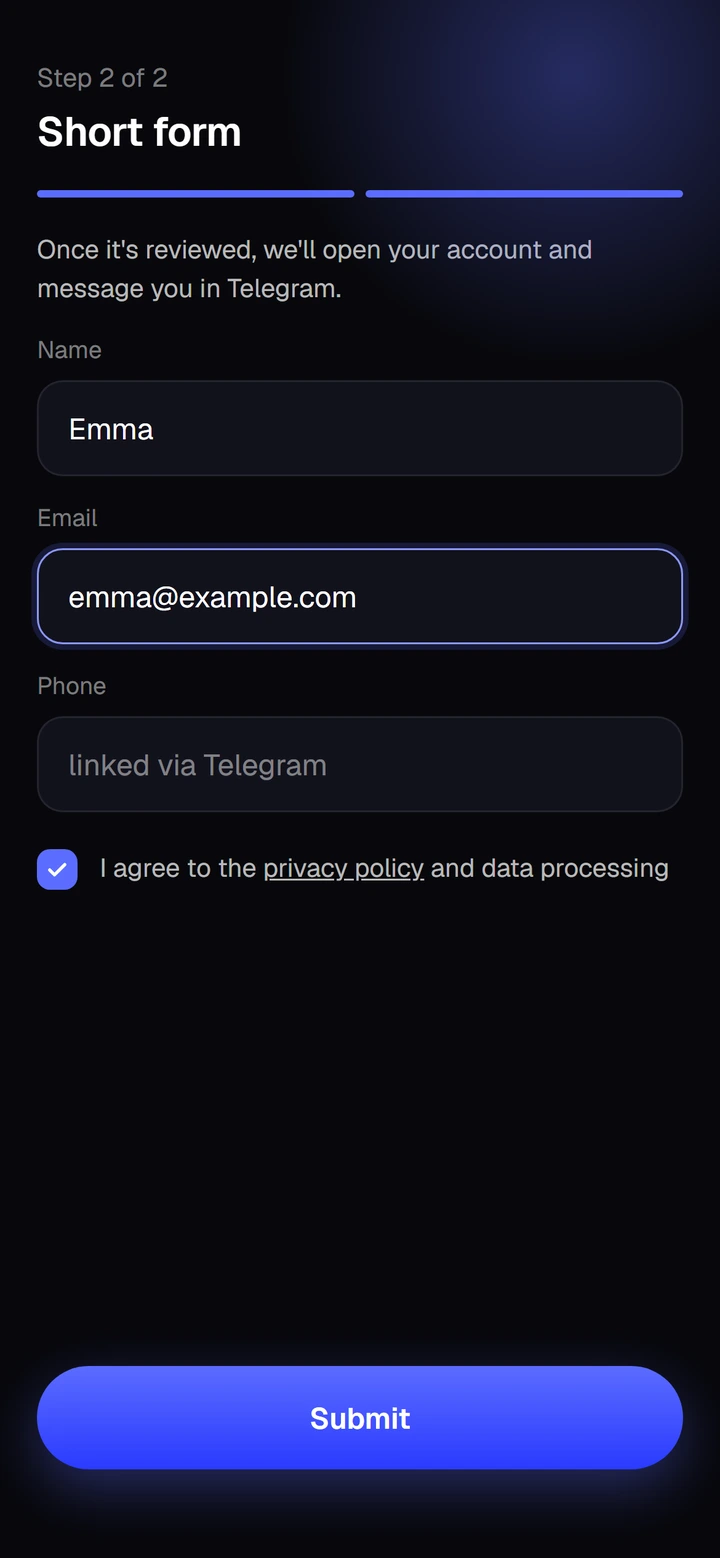
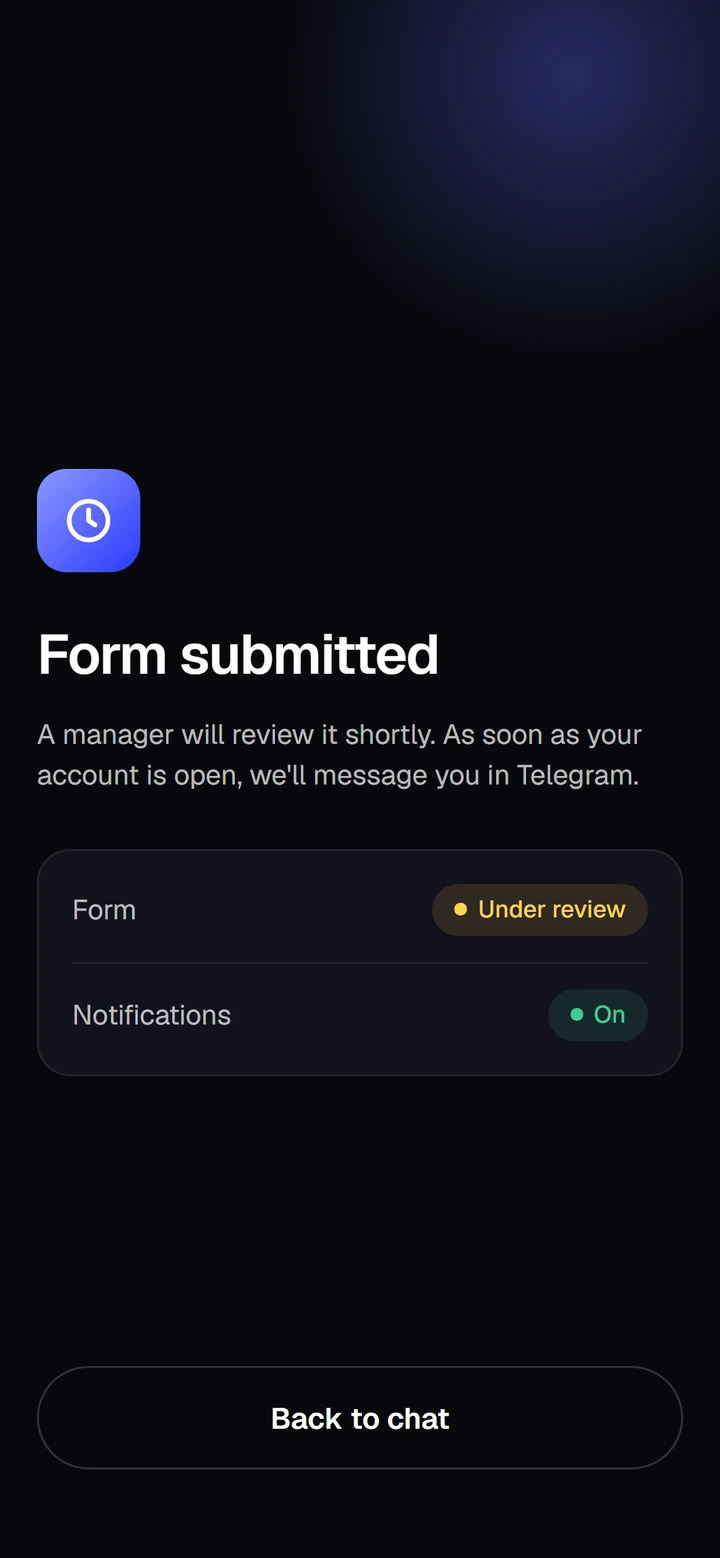
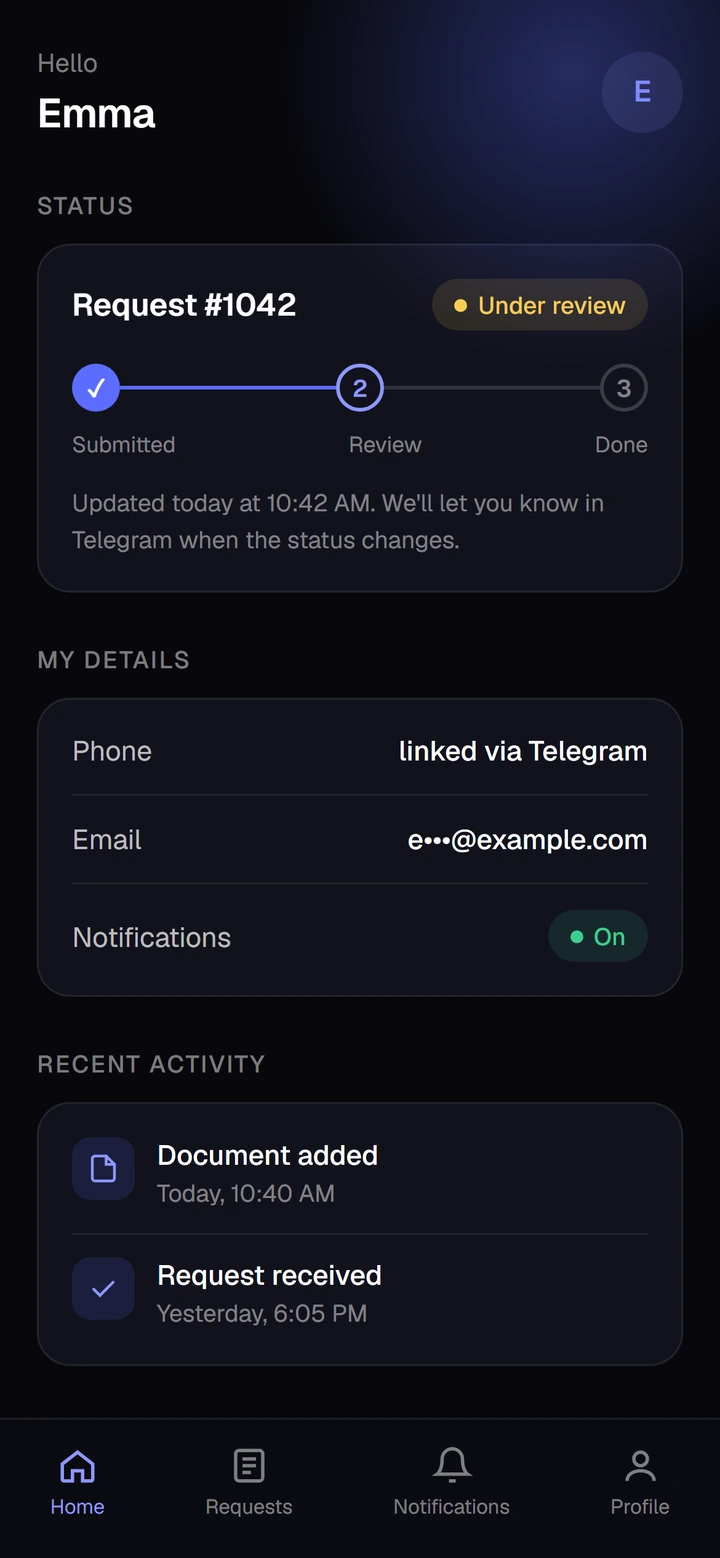
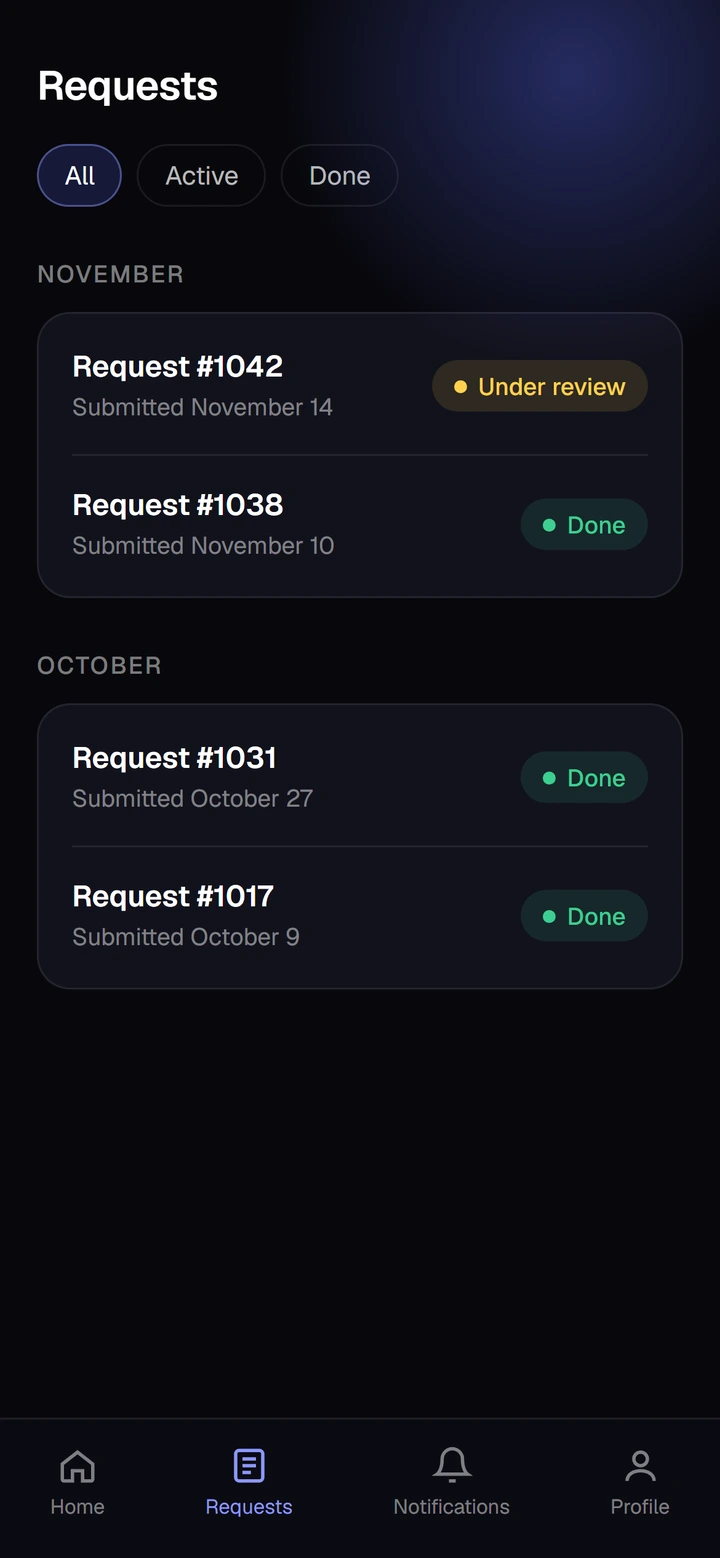
People who are already in the accounting system share their phone number from Telegram, and the app opens their account right away, with no second form. A new user fills out a short form, a manager approves it in the accounting system, and a Telegram message says the account is open. The screens are schematic.
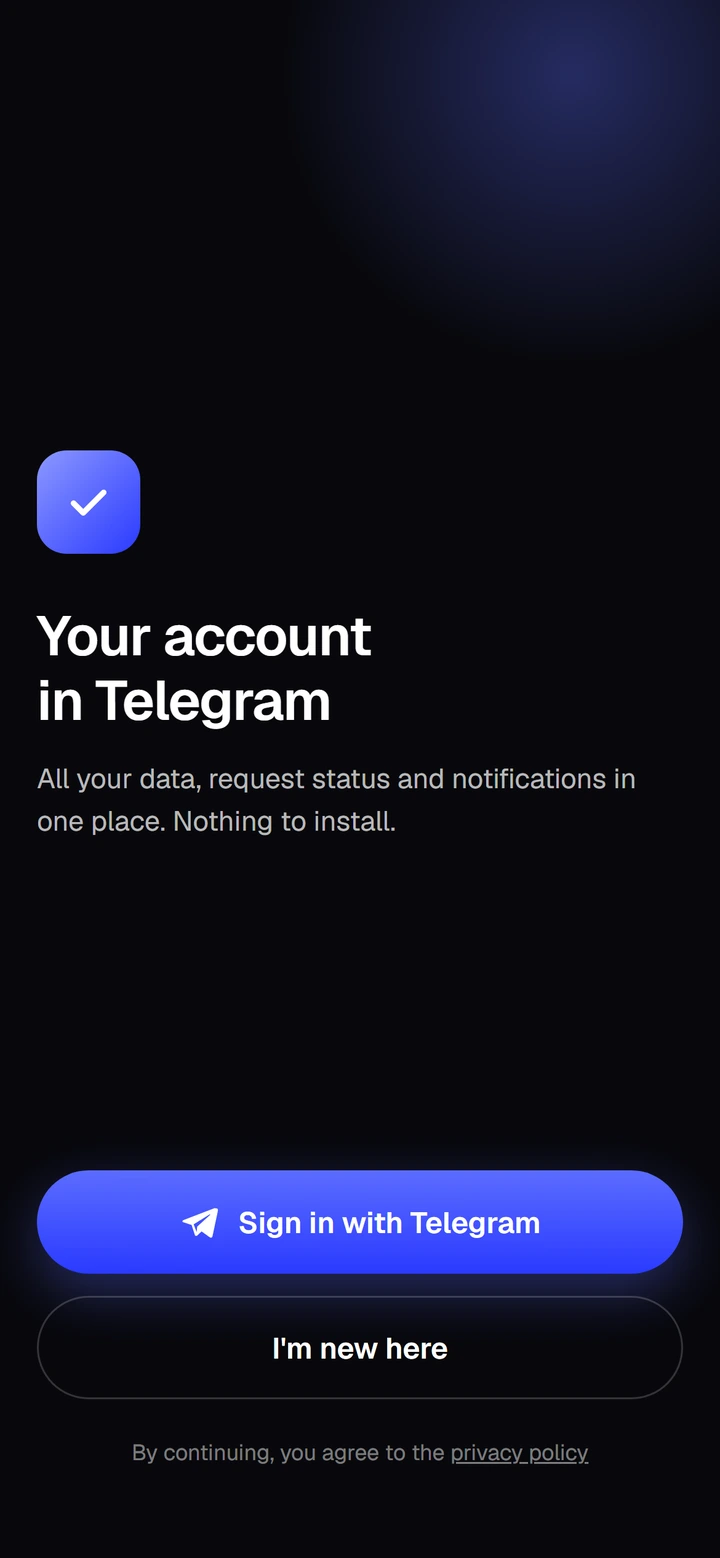
Sign in with Telegram
Sign-in
Short form for a new user
Form
Form submitted, waiting for approval
Form submitted
Home screen: request status and my details
Home
List of requests with statuses
Requests
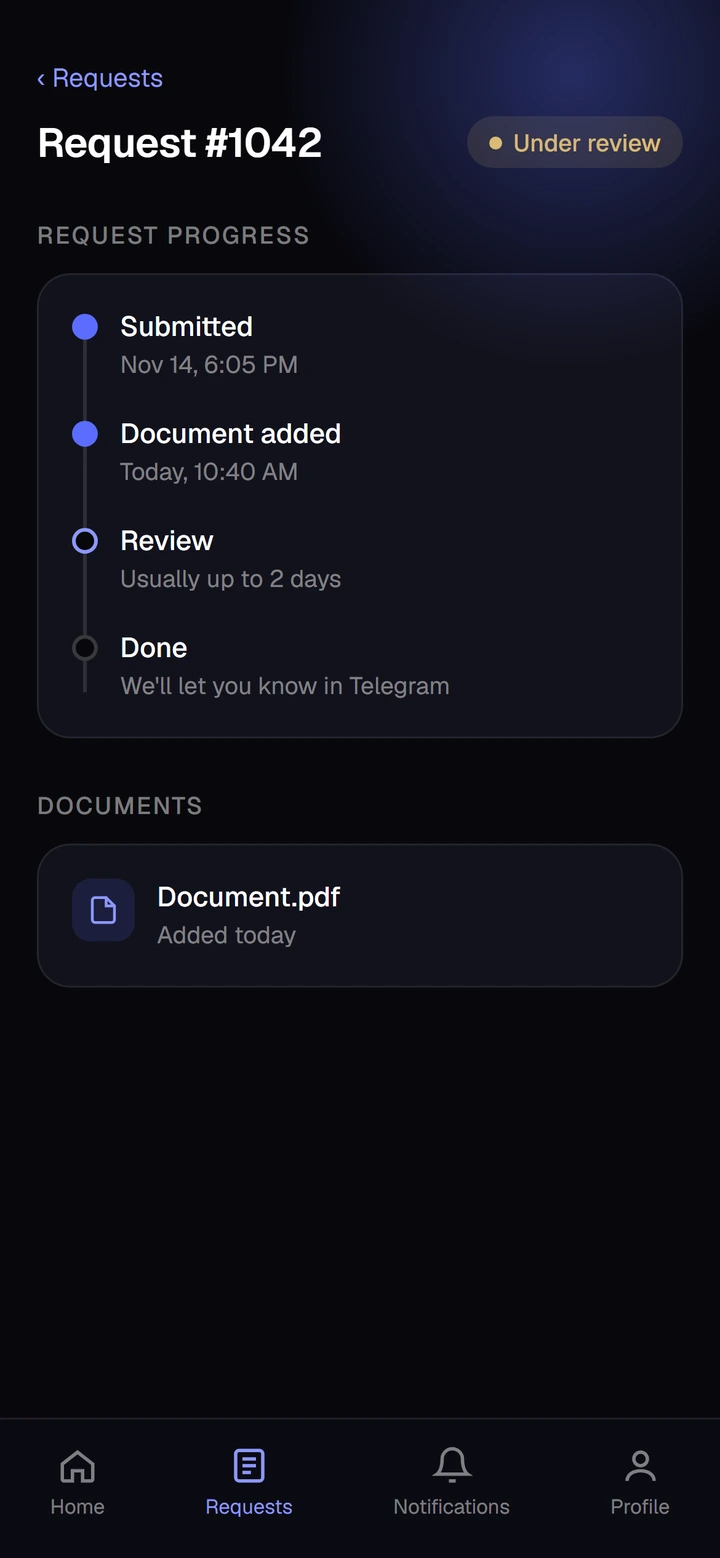
Request progress and documents
Request progress
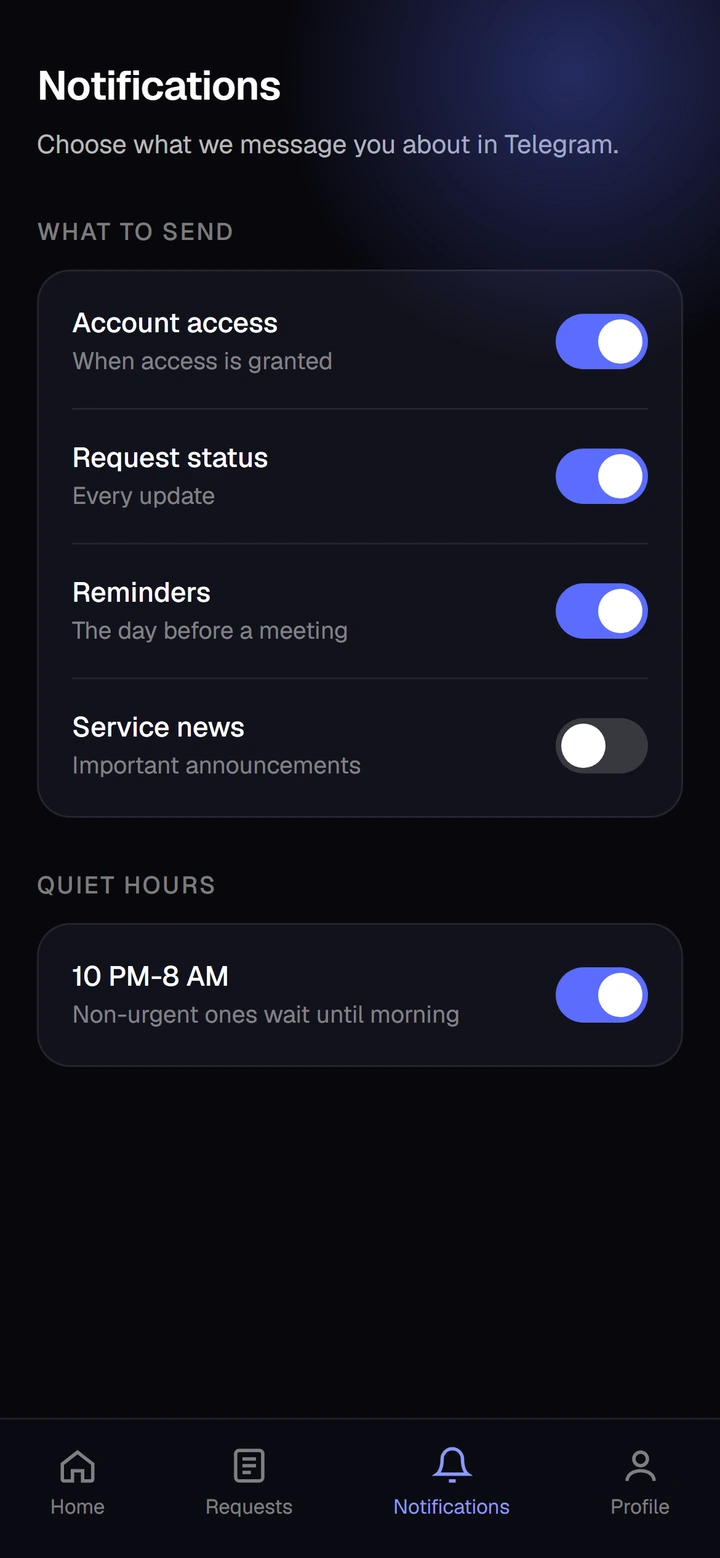
Notification settings and quiet hours
Notifications
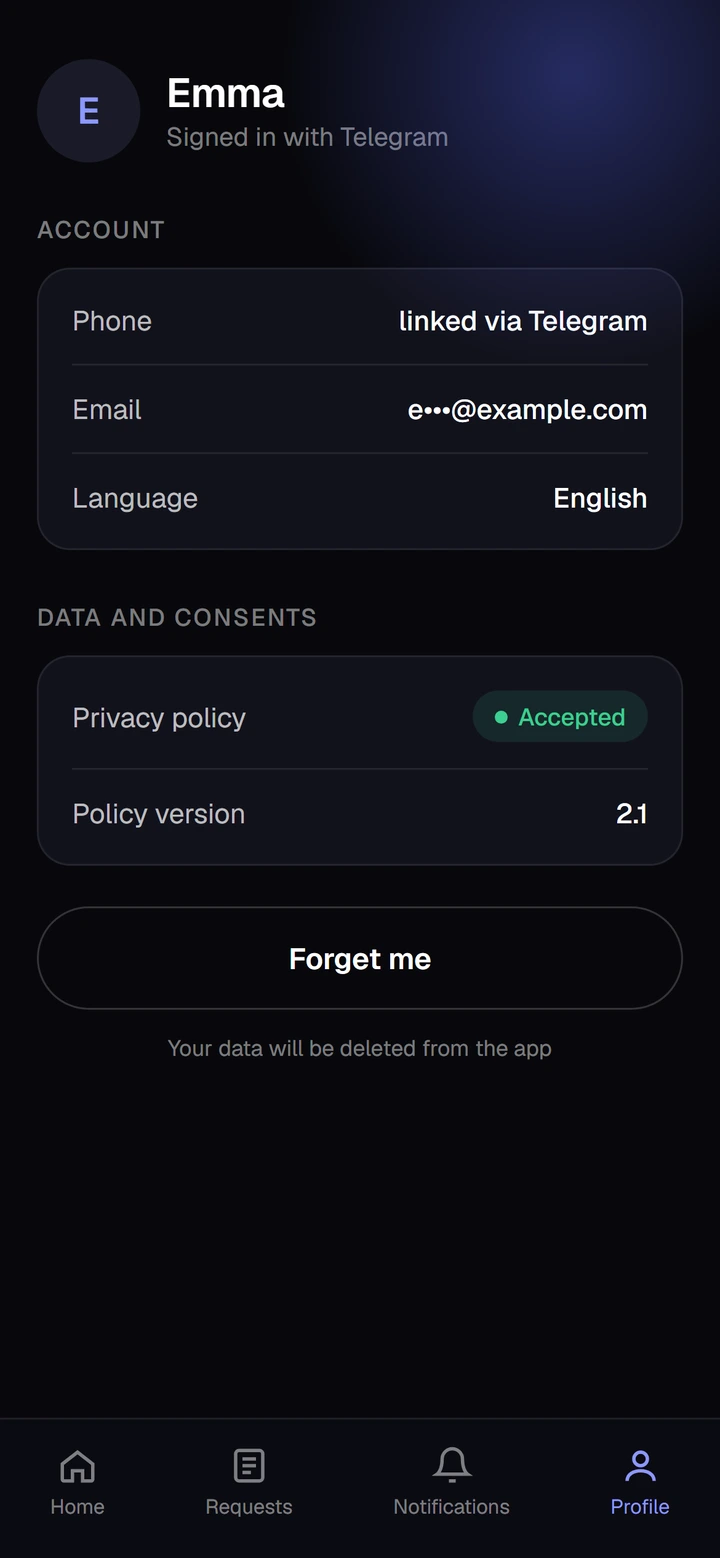
Profile and the “Forget me” button
Profile
03 · Accounting system

Between the app and the accounting system sits our server

The app only talks to our server, which has its own database. Only the server can reach the accounting system, and the accounting system accepts connections only from its address. Most screens take data from our database and don't wait for the accounting system.

UserTelegram or the web app on a phone
Our server and databasea copy of the data needed, consents, notification settings
The client's accounting systemopen only to our server, managers work in it as before
  1. 01No API yet, and the app was already working. We wrote the API contract for the client's team ourselves and kept it versioned. While they built their part, the app ran against a simulator of the accounting system. Switching to live data took 1 day.
  2. 02The accounting system is down, and the app keeps working. Users see their data from our database, and an alert goes to the team chat. When the accounting system comes back, sync catches up with no manual steps. This has already happened in production.
  3. 03A bad record doesn't stop the sync. If a date or an amount arrives from the accounting system in the wrong format, the field stays empty, sync carries on, and the issue is flagged in monitoring.
04 · Notifications

The app messages users on its own

Notifications come from the bot in Telegram:

  • the account is open;
  • the request status has changed;
  • a reminder about a meeting at a set time;
  • important service announcements.
Your account is open. You can now see your details and request status in the app.Bot · 9:15 AM
Request #1042 has moved to review.Bot · 10:42 AM
Reminder: your meeting is tomorrow at 10 AM.Bot · 6:30 PM
Schematic.

Users turn off the notifications they don't need in the settings. Non-urgent messages don't arrive at night; they wait for the morning.

Notification settings and quiet hours
Schematic.
05 · Personal data

We keep only what's needed

Documents, ID numbers and bank details are not stored in the app's database: they go straight to the client's accounting system. The app keeps data only for people who connected through Telegram, and users can erase their own data with the “Forget me” button.

30
days: how long we keep a phone number a user shared in Telegram
3
years: how long the consent log is kept, with no names or phone numbers
2
security audits, with every finding fixed
  • We check every request against its Telegram signature
  • The consent log records the privacy policy version
  • A new policy needs new consent
  • Daily encrypted database backups, with the key held by the client
06 · Speed

Dozens of times better than the spec

500
requests per second in the load test, 95% of responses within 14 ms, while the spec allowed up to 500 ms
103 KB
is the size of the whole interface, compressed; the spec allowed 250 KB
1.3 s
to first contentful paint in a mobile Lighthouse test
1 s
to restore the database from a backup; the spec allowed an hour
07 · How it was built

One engineer and a team of AI agents

One engineer ran the project. The agents wrote the code, tests and documentation, and before each release a separate AI agent reviewed the code. Front end, server, integration and infrastructure are usually split among several developers.

Instead of Figma mockups, on day two the client got clickable screens built in working code. The approved screens then went into the app without rework.

Stages

  1. 01API contractfor the client's team
  2. 02Foundationserver, database, sign-in, queues, monitoring
  3. 03Accounting system integrationsync and webhooks
  4. 04App screensand the web version
  5. 05Notificationsand help sections
  6. 06Launchsecurity audit, load test, backups, switch to live data
~4
months from the first line of code to the handover of every stage
~1,400
automated tests, 605 of them against a real database

A new version reaches production only after it passes staging, and after each release we check that this exact build is the one running.

Tech stack

React 19TypeScriptViteTailwind CSSNode.jsFastifyPostgreSQLPrismapg-bossTelegram Bot APIDockerCoolifyGrafanaVitest
FAQ

Before you commission a Telegram Mini App

Questions people ask when they choose a Telegram Mini App for their business, answered using this project as the example.

How long does it take to build a Telegram Mini App?
In this project, about 4 months from the first line of code to handover: sign-in, the user account, integration with the accounting system, notifications, the web version and a security audit. The client saw a clickable prototype of every screen on day two. The timeline for your project depends on the screens and integrations, and we estimate it on a discovery call.
Which is better: a Telegram Mini App or a regular mobile app?
A Mini App needs no install and no review in the App Store or Google Play: users open it from a bot, and updates reach everyone at once. If you need independence from Telegram, the same build installs on a phone as a web app. A native app makes sense when you need phone features the web doesn't offer.
Can the app connect to an accounting system that has no API yet?
Yes. We write the API contract for your team and build a simulator of the accounting system. The app is ready and tested before the API exists, and switching to live data takes days, not weeks.
What happens to the app if the accounting system goes down?
The app keeps running from our server's own database, and users still see their data. An alert goes to the team chat, and when the accounting system comes back, sync catches up on its own.
How is personal data protected?
Documents and bank details are never stored in the app's database, every request is checked against its Telegram signature, consents are recorded with the policy version, and database backups are encrypted with the key held by the client. Users can delete their own data.
Will the app hold up if all users open it at once?
In the load test the server handled 500 requests per second, with 95% of responses within 14 ms. Most screens don't wait for the accounting system, so peak load never reaches it.
Do managers need a separate admin panel?
Not in this project: managers work in the accounting system they already use, and the app picks up their changes on its own. We build a separate admin panel when the data isn't in the accounting system.
Can people sign in without Telegram?
In this project, sign-in is through Telegram only. If some of your users don't have Telegram, we add sign-in by phone number with an SMS code.
Contact

Book a free 20-minute audit call

Tell us what your users need. We'll show you how to build them an app that works with your accounting system and send you a short plan. No strings attached.

Your data is safe. The audit doesn't commit you to anything. By submitting, you agree to our privacy policy.